Overview
The purpose of this document is to provide instructions on how to setup and execute the
What's Included
The following items are included in the show instructions:
- Show Summary and Timeline
A show overview and firework event listing in chronological order. - Dry Run & Prep Show Instructions
Instructions on how to setup your show and where to connect your fireworks to the module(s). - Fire Show Instructions
Instructions on how to test and successfully fire your show.
Show Summary and Timeline
The following provides a detailed timeline of each firework event sorted by time ascending. For each firework, the following information is provided:
- Event Time - The exact event time. At this time, the module cue assigned to the module color will fire the connected igniter(s).
- Module Color - The module color.
- Module Cue - The module cue # (1-18).
- Event Description - The event description. This is commonly the firework name.
| Show ID: | PR3R |
| Show Name: | 9 Minute Show |
| Show Length: | 585 seconds |
| Show Audio: |
| Event Time | Module Color | Module Cue | Event Description |
|---|---|---|---|
| 00:00.00 | Red | 1 | Washington |
| 00:31.00 | Red | 2 | Jefferson |
| 01:03.00 | Red | 3 | Roosevelt |
| 01:34.00 | Red | 4 | Lincoln |
| 02:06.00 | Red | 5 | War |
| 02:44.00 | Red | 6 | Pestilence |
| 03:22.00 | Red | 7 | Famine |
| 04:00.00 | Red | 8 | Death |
| 04:38.00 | Red | 9 | Captain Kidd's Capture |
| 04:59.00 | Red | 10 | Calico Jack's Journey |
| 05:20.00 | Red | 11 | Henry Morgan's Mayhem |
| 05:42.00 | Red | 12 | Black Beard's Bounty |
| 06:10.00 | Red | 13 | Ultimate Willow |
| 07:10.00 | Red | 14 | Ultimate Nishiki |
| 08:10.00 | Red | 15 | Ultimate Brocade |
| 08:40.00 | Red | 16 | Ultimate Flower Crown |
| 09:20.00 | Red | 17 | Blood is Pumping |
| 09:20.00 | Red | 18 | Blood is Pumping |
Module Prep Instructions
The following provides instructions on how to prepare your show for firing including positioning your modules for good signal, connecting igniters to fireworks, and plugging igniters into show module(s).
Step 1: Dry Run Show & Test Audio System
Before firing your show, it’s important to dry run your show to feel comfortable with the IGNITE system. This can be done indoors. When firing, your modules color LED will blink the color white indicating they are firing. If you are running an audio system via Bluetooth or a wired connection, make sure to fully test your full show in advance. Run your show a few times to feel comfortable with the IGNITE functionality.
Step 2: Position Modules for Good Signal
For optimal signal, raise each module by placing onto a small platform such as a 5-gallon bucket. In addition, make sure the module antenna has a clear line of site to where the phone / tablet will fire the show.
Step 3: Connect Igniters to Module(s)
Each firework should be plugged into the correct module and cue #. Please find the following instructions and module report.
| Cue # | Firework Image | Firework Description |
|---|---|---|
| 1 | Washington | |
| 2 | Jefferson | |
| 3 | Roosevelt | |
| 4 | Lincoln | |
| 5 | War | |
| 6 | Pestilence | |
| 7 | Famine | |
| 8 | Death | |
| 9 | Captain Kidd's Capture | |
| 10 | Calico Jack's Journey | |
| 11 | Henry Morgan's Mayhem | |
| 12 | Black Beard's Bounty | |
| 13 | Ultimate Willow | |
| 14 | Ultimate Nishiki | |
| 15 | Ultimate Brocade | |
| 16 | Ultimate Flower Crown | |
| 17 | Blood is Pumping | |
| 18 | Blood is Pumping |
Fire Show Instructions
The following provides instructions on how to test and fire your show.
Step 1: Test Signal and Igniter Connections
Before firing your show, it’s important to test your signal and igniter connections. You can perform this by selecting Prep Show option when accessing your show from My Shows.
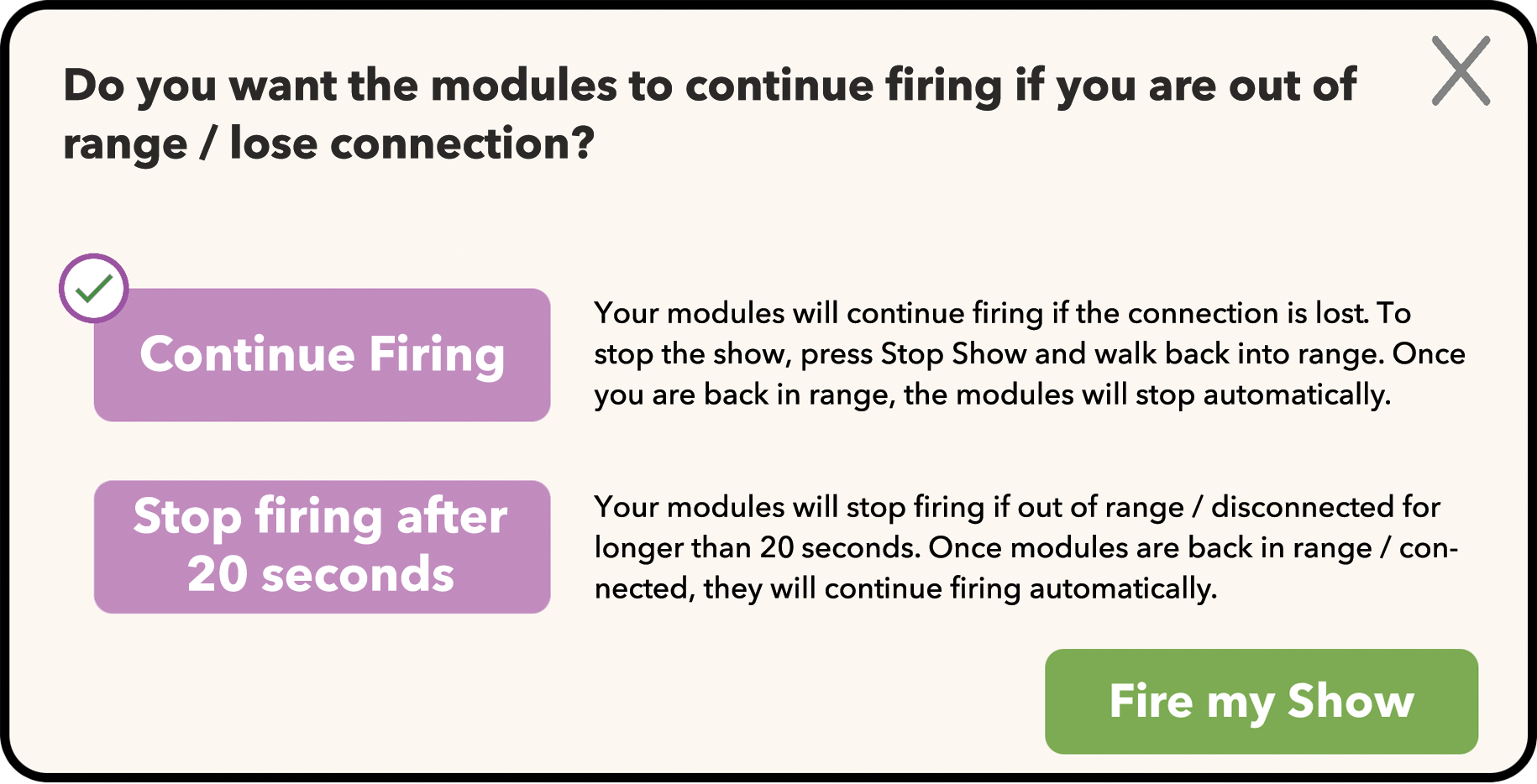
Step 2: Select Out of Range Option and Fire Show
Before firing your show, to select the out-of-range option.